
It feels your session, so you notice it.
Calm while the session is fresh, visibly tired after four hours, weary after six. When you step away, Pip naps. One gentle check-in when you cross a threshold, never repeated.
VibePause lives in your menu bar and follows your sessions in Cursor, VS Code, Xcode and Terminal. It pauses when you step away and nudges you to rest your eyes, stretch and breathe. No timer to start.
US$14.99 once · No subscription
No account · Every current feature included · macOS 14+
Watch Pip in 45 seconds ↓


The VibePause Today page, with its timer in the menu bar and Pip bringing a reminder from the bottom of your screen.
Tracks time in your selected developer apps
VS CodeCursorXcodeTerminalJetBrainsZedClaudeCodexA short film about a tiny desk companion: it feels your coding session, brings your reminders, and takes the break with you.
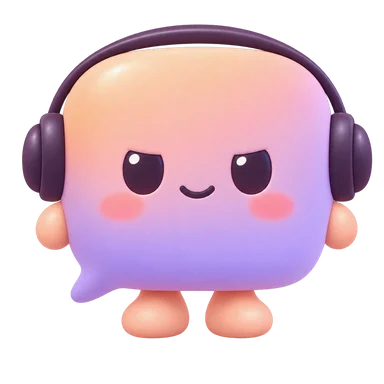
Pip sits just above your Dock while you work. It mirrors your coding session, brings your reminders in a speech bubble, and does the breathing, eye, and stretch breaks right alongside you, without opening a window.
Calm while the session is fresh, visibly tired after four hours, weary after six. When you step away, Pip naps. One gentle check-in when you cross a threshold, never repeated.
When a nudge arrives, Pip hops and says it in a speech bubble instead of the top banner. Start the matching break, snooze it for 30 minutes, or dismiss it. Each nudge shows up once.
Pip breathes at the guide's pace, four seconds in and six out, rests its eyes, and stretches with you. The countdown sits in its bubble. When you finish: “Nice reset.”
Every pose comes from what VibePause already knows. Pip never invents its own agenda.
 AwayNaps until you're back
 CodingCalm, wanders a little
 Focus BlockStill and quietNudgeHops, offers a break
 Guided breakBreathes with you
 4 hours inAsks about your shoulders
Pip's sounds are tiny synthesized phrases, so they sound the same in every language. Pick a voice, set the volume, or mute Pip from its menu. Tap a voice to hear Pip say hello.
Pip is optional. Turn on “Show Pip on desktop” from the VibePause menu bar whenever you'd like company. Included in the one purchase.
Get VibePause ↗You do not need to start another timer every time you open your editor. VibePause follows time in your selected apps and uses idle detection to notice when you step away.
Choose the editors and terminals to track. Your session timer follows active use, with break timing you can adjust.
Nudges suggest a next step for your eyes, posture, hydration, or movement, in a floating banner or from Pip. Take the break or snooze it.
Use guided eye, stretch, breathing, and body scan breaks when a little structure helps, or start a 15, 25, or 45 minute focus block. Review your breaks and sessions in Progress.
A break companion should be easy to understand: what it tracks, when it nudges, and where your information goes.
Explore all features →Session tracking for editors, terminals, and coding agents, all nudge categories, guided breaks, Pip the desk companion, a focus timer, history and insights, Quiet Hours, themes, sound choices, and optional weather context.
No recurring payment. No in-app purchase.
One-time purchase · All current features
Get VibePause on the Mac App Store ↗For macOS 14 and later
Start with the question you have. Explore practical reminders, timing, and ways to build a routine.
Tie breaks to coding events and keep a reminder as the backup.
Read the guide →See what starts the clock and what counts as time away.
Read the guide →Pair movement with natural stopping points in a coding day.
Read the guide →Pip is a small companion that sits above your Mac's Dock, shows how long you have been coding, brings your break reminders, and joins short guided breaks.
Read article →Evaluate a Mac break reminder with a simple workday checklist. Check app switching, idle time, quiet periods, and whether the prompt is useful.
Read article →Use Clock, alarms, or Reminders to make time for breaks on Mac. Learn what these native tools do and when a dedicated reminder app may help.
Read article →VibePause follows time in selected developer apps and pauses with idle detection. It combines session-based reminders with guided breaks and local history. Manual Focus Blocks are also available when you want a named countdown.
It uses foreground app identity, idle state, and session timing. It does not read your code or record keystrokes. The setup flow explains the permissions needed for session detection.
Your session history and settings stay locally. Optional city context uses online weather services. Optional analytics are sent only with your consent when telemetry is configured. See the privacy policy for details.
Pip is an optional desk companion that sits at the bottom of your screen, mirrors your coding session, brings reminders in a speech bubble, and joins your guided breaks. It is off until you turn on Show Pip on desktop in the menu bar, and you can mute it, keep it in one place, or tuck it away at any time.
VibePause is US$14.99. One purchase includes every current feature, with no recurring payment or in-app purchase. Check the Mac App Store for your local price.
VibePause is for macOS 14 and newer. Check the Mac App Store listing for compatibility with your Mac.
US$14.99 once · All current features included